-
 GenVPnt: Point generalization
GenVPnt: Point generalization| Presentation and options | Dialog box of the application |
| Graphic examples | Syntax |
This application allows the generalization of a file of points. The following options are available:
For the file of points generalization option, the input file, in PNT format, the desired point density for the generalized file, and the output file, which will also be in PNT format, must be specified. The specified point density must be lower than the point density of the input file.
For the option to create a file of points generalization pyramid, only the input file, in PNT format, needs to be specified. If the application detects that a generalization pyramid is required (in files with very low densities it makes no sense to generate it) it will create a folder named after the input file, without its extension, followed by the suffix T_General (T indicates that it corresponds to a file of points and General identifies that is a generalization folder). Within this folder, one or more generalized files will be created using the prefix #_, where # is the pyramid level number, starting at 0. At each level, a generalization will be applied to produce a point density two times lower than that of the previous level.
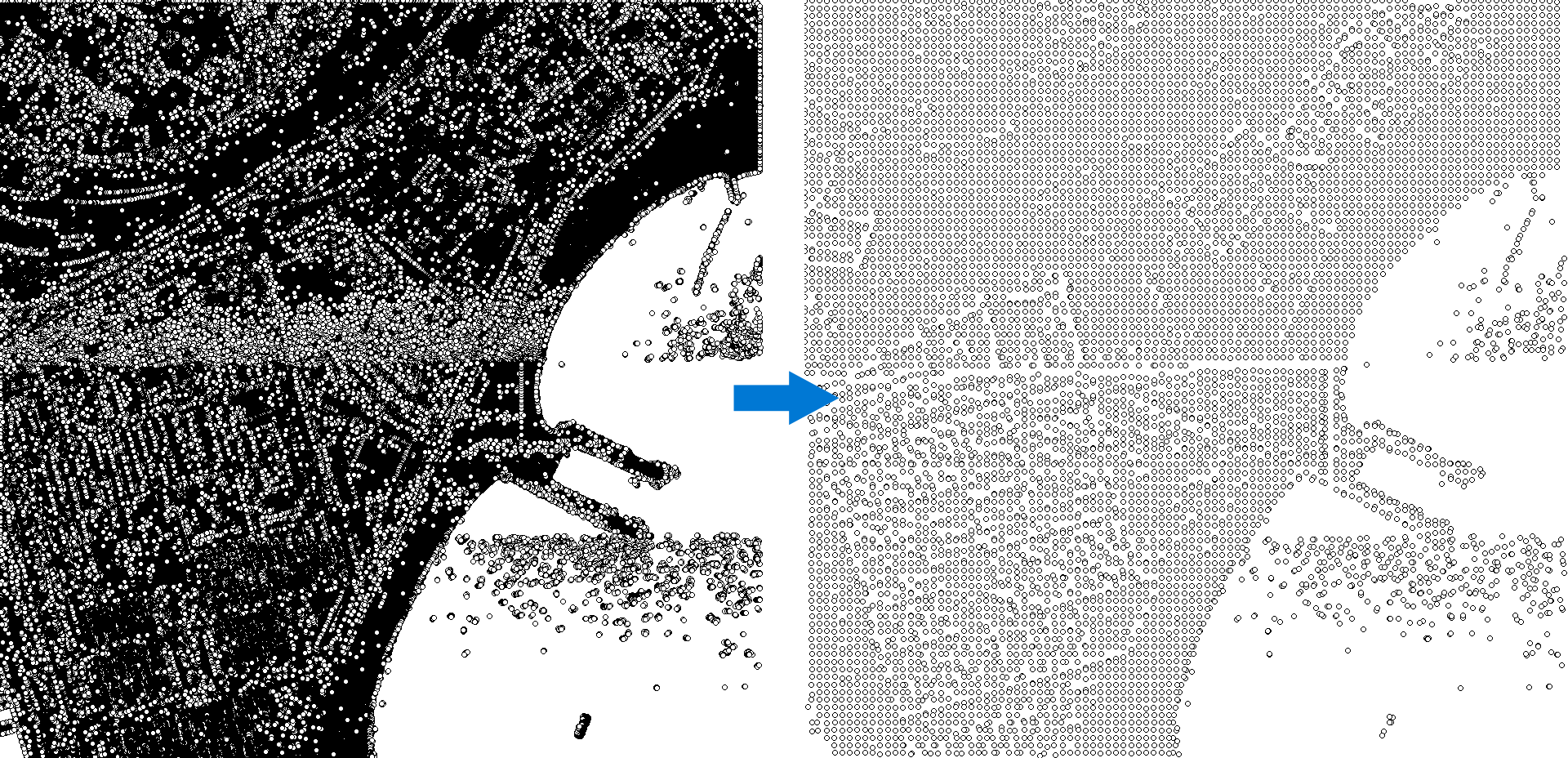
The process used to generate a generalized file is the same both for the file of points generalization option and for the creation of each level of the pyramid. Based on the file extent and its point density, calculated from the file extent and the number of points, a virtual grid of geographic cells is created. The coordinates of each point are then read, and the corresponding grid cell is determined. If no point has yet been selected for that cell, the point is written to the output file. Otherwise, it is discarded and the process continues with the next point. The process ends when one point has been selected for every grid cell or when all points in the source file have been processed. As a result of the generalization process, the point density of the generalized file will generally be slightly lower than the desired point density.
The generated files retain the same metadata as the original file and will have the same symbolization.

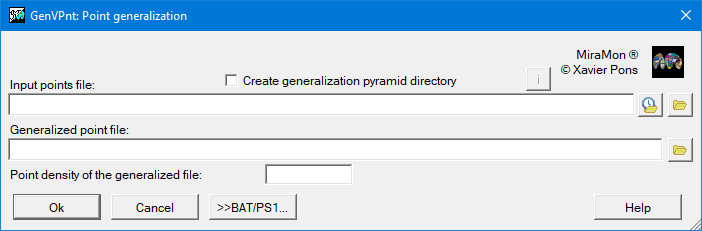 |
| GenVPnt dialog box |
Examples of syntax:
GenVPnt 4 D:\FitxerOrigen.pnt /CREA_PIRAMIDE
GenVPnt 4 D:\FitxerOrigen.pnt D:\FitxerOrigenT_General /CREA_PIRAMIDE
GenVPnt 4 D:\FitxerOrigen.pnt D:\FitxerGeneralitzat.pnt 2.951